Automatic Enchanting
Updated:
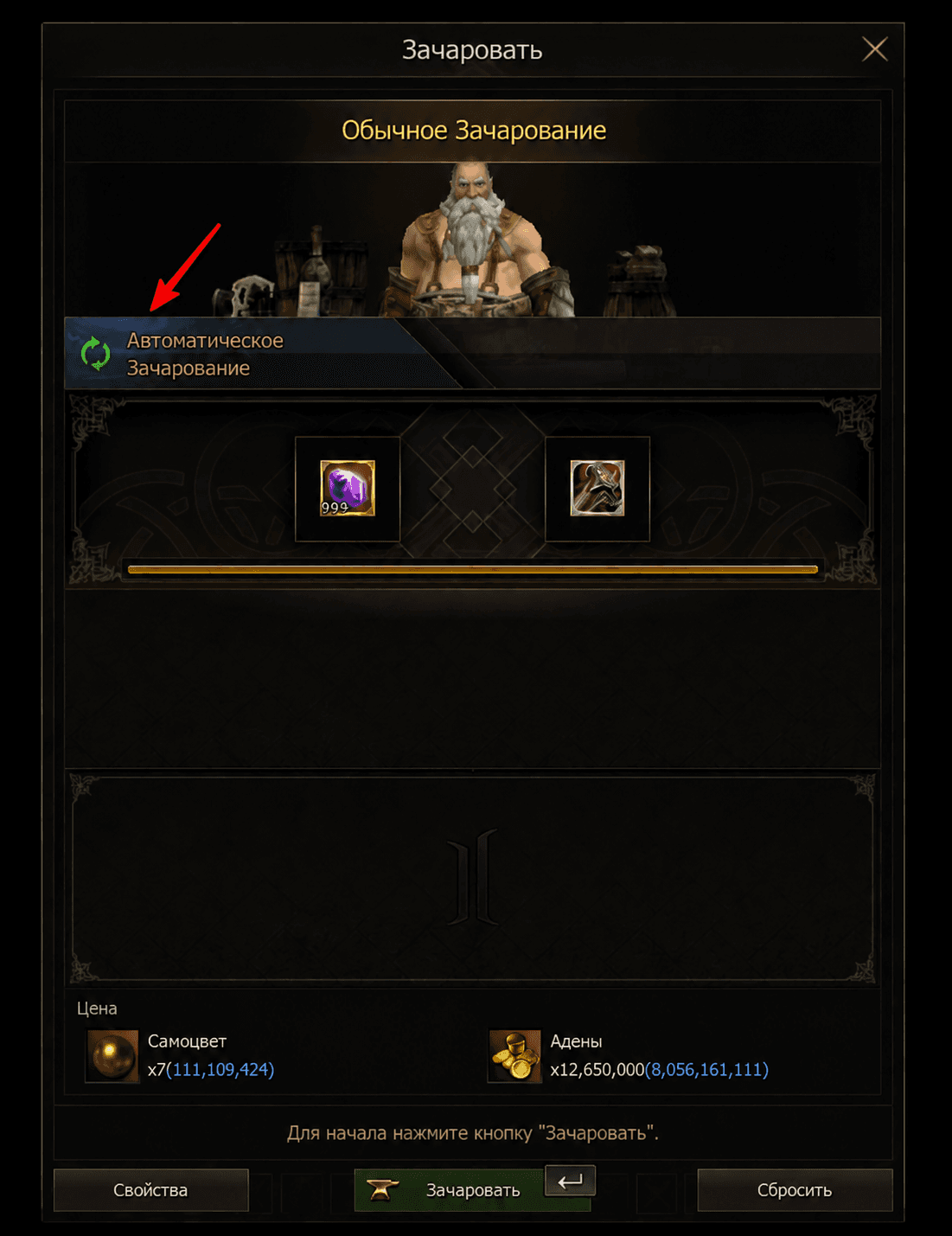
A new feature has appeared in the “Enchanting” interface— Automatic Enchanting. Specify the desired attribute, and the system will automatically update the item's stats until it achieves the desired result.
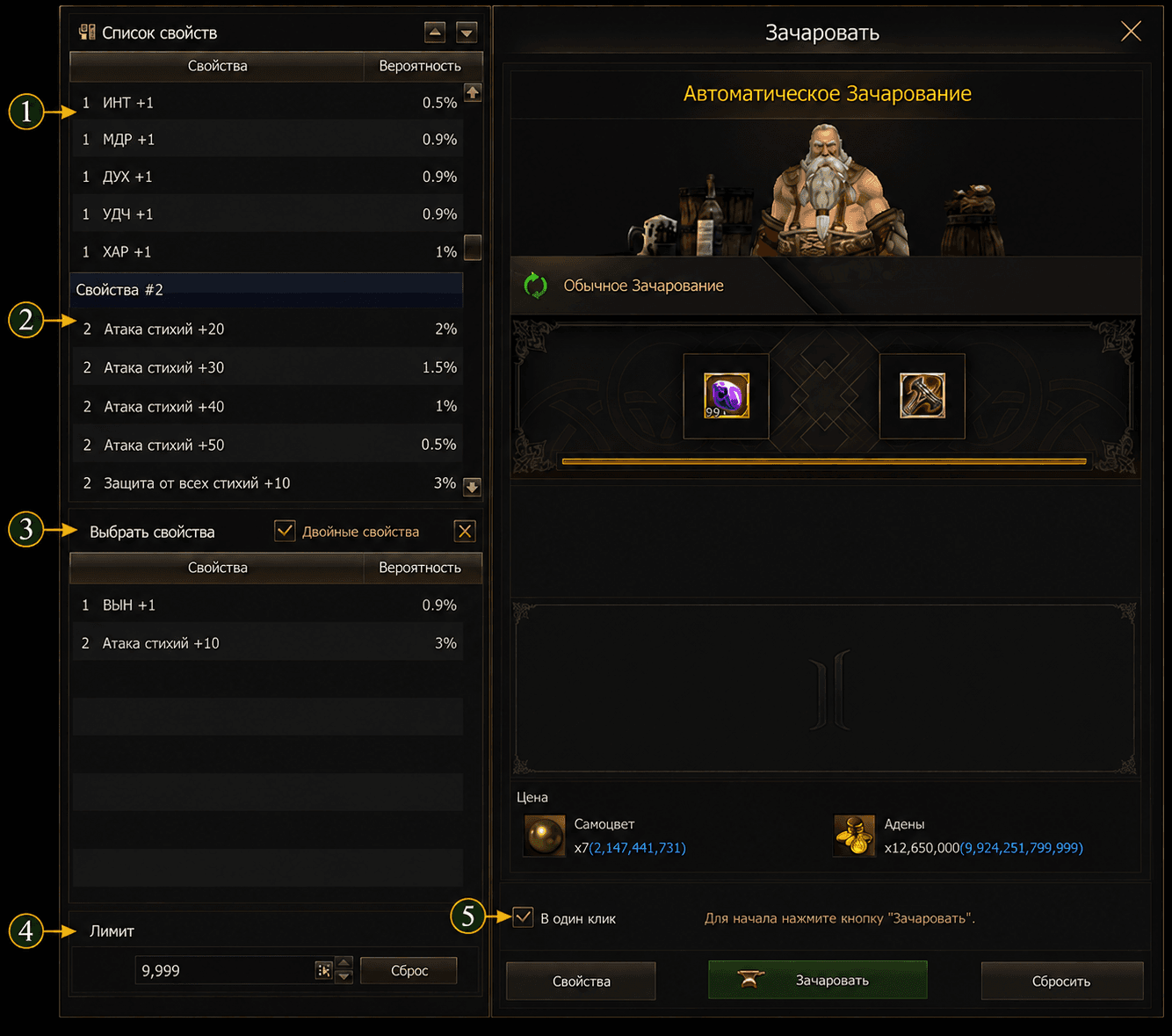
1. Selecting the First Property
Select the primary attribute you want to obtain on the item. Once selected, it will be added to the list of tracked attributes and will become the target for automatic enchanting.
2. Selecting the Second Property
If necessary, select an additional property from the list. The system will take it into account during automatic enchanting.
3. Dual Properties
Enable the option “Dual Properties”, if you want to obtain two selected attributes at the same time. In this mode, auto-enchanting will keep trying until the desired combination of attributes appears.
4. Attempt Limit
Specify the maximum number of attempts in the field “Limit”. Automatic enchanting will continue until the desired result is achieved or the set limit is reached.
5. “One-Click” Mode
When the "One-Click" option is enabled, the system will automatically attempt to capture the specified properties with a single click of the "Enchant" button. If the option is disabled, only a simple automatic insertion will be performed.
Launching Automatic Enchanting
After selecting all the necessary properties and setting the number of attempts, click the button “Enchant”. The system will automatically begin modifying the item's properties and will continue attempting to do so until the desired result is achieved or the set limit is reached.
Resource Expenditure Report
Once the automatic enchanting is complete, the system chat will display information about the amount of resources consumed, including the gems and Aden spent.
💡 Important: The drop rate for each stat is displayed in the stat list. The lower the chance of obtaining the desired stat, the more attempts may be required to achieve the desired result. If the set limit is reached before then, the process will automatically stop.