The Homunculus System
Updated:
.png&w=1080&q=75)
General Information
• Homunculi provide permanent passive buffs that increase a character’s combat effectiveness.
• There are 18 slots available for homunculi. Initially, only 3 slots are available; the rest are unlocked as they become available for a fee.
Cell | Cost | Cell | Cost |
|---|---|---|---|
1 | — | 10 |
|
2 | — | 11 |
|
3 | — | 12 |
|
4 |
| 13 |
|
5 |
| 14 |
|
6 |
| 15 |
|
7 |
| 16 |
|
8 |
| 17 |
|
9 |
| 18 |
|


• Homunculi are shared between a character’s primary and secondary classes.
• All effects, stats, and abilities of the homunculi apply to both the primary and secondary classes, providing the same character buffs.
• A special interface is provided for creating and managing homunculi. You can open it via the “Homunculus” section in the main menu or by clicking the corresponding button on the sidebar. 
• The Homunculus system interface consists of two main tabs: “Creation” and “Management.”
• In the tab "Creation"» The main resources required to create a Homunculus are listed below: Health (HP), Soul (SP), Tears (VP), and Anticipation. The button is located here as well "Create", which initiates the process of creating a new Homunculus.
• In the upper-right corner is a button for switching between modes “Cradle of Life” and “Cradle of Time”, which allows you to choose how to create Homunculi.
• Tab "Controls" This feature is designed for working with already created homunculi. It displays their stats, skills, appearance, and the number of available enhancement points. Players can also select an active homunculus, strengthen the synergy between its skills, or remove an unwanted companion.
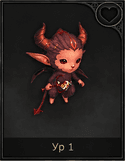
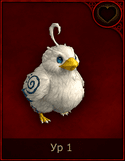
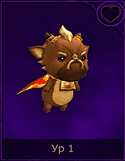
• All homunculi are divided into 4 quality ranks. Each rank has its own rarity level and can be upgraded to level 5.
• A homunculus’s quality is determined not only by its rank but also by its visual appearance. Depending on its rarity, a different background color is used: gray, green, red, or purple. The corresponding designation is also displayed in the list of homunculi and in the window of the selected creature.
.png&w=128&q=75)
• The higher a homunculus’s rank, the stronger it is.
• There are 52 homunculi in total, with 4 ranks for each type of homunculus (13 types in total):
Normal | Expert | Highest quality | Hero |
|---|---|---|---|
Chuchu | Water Chuchu | Light-bearing Chuchu | Rainbow Water Chuchu |
Tanna | Water Tanna | Lightbringer Tanna | Rainbow Water Tanna |
Pallo | Water Pallo | Lightbearing Pallo | Rainbow Water Pall |
Ari | Water Ari | Lightbringer Ari | Rainbow Water Ari |
Churing | Water Churing | Lightbringer Churing | Rainbow Water Churing |
Cow | Earth Cow | The Light-Bearing Cow | Rainbow Earth Cow |
Choron | Earth Choron | Luminous Choron | Rainbow Earth Choron |
Nymph | Earth Nymph | Light-bearing Nymph | Rainbow Earth Nymph |
Oko | Earth's Eye | Luminous Eye | Rainbow Earth Eye |
Fofo | Earth Fofo | Lightbringer Fofo | Rainbow Earth Fofo |
Angel | Divine Angel | Light-Bearing Divine Angel | Rainbow Divine Angel |
Little Devil | Divine Little Devil | The Radiant Divine Little Devil | Rainbow Divine Little Devil |
Pegasus | Divine Pegasus | Luminous Divine Pegasus | Rainbow Divine Pegasus |
Creating a Homunculus
.png&w=1080&q=75)
To create a new Homunculus, you must have at least one free slot in the tab "Controls". If all slots are occupied, you won't be able to start the creation process.
There are two ways to obtain a Homunculus:
• Cradle of Life
• The Cradle of Time
Cradle of Life
This method requires gradually filling up special resource bars.
Start creating
Open the Homunculus interface.
Go to the tab “Creation”.
Click the button "Create".
To start the process, you will need  1,000,000 Aden.
This ability is available for both the main and dual character classes.
Filling out scales
To complete the process, you must fill out all four scales in full:
• Health (HP) — sacrifice the character's health.
• Spirit (SP) — Invest the required number of SP points.
• Tears (VP) — Use Energy points.
• Time — The progress bar fills automatically within 24 hours of creation.
Time continues to count down even when the character is offline.
Completion
After all the scales have been completely filled in, the button "Create" will become available again.
Upon confirmation, the character will receive a random Homunculus from the available list.
A new Homunculus will automatically appear in the tab "Controls" and will be tagged NEW.
Only one Homunculus can be created at a time through the Cradle of Life.
The Cradle of Time
This method allows you to obtain a Homunculus instantly without having to wait for the bars to fill up.
Features
• Available 4 crafting slots.
• To get started, you will need:
• Homunculus's Hourglass ×1
•  2,000,000 Aden.
Title | Description |
|---|---|
Ordinary Homunculus' Hourglass | A special artifact that allows you to awaken a common homunculus in the Cradle of Time. Using the item or clicking the “Create” button in the homunculus interface grants access to the creation process. Available for purchase with Adena in the in-game store. |
High-Rank Homunculus's Hourglass (Event) | A rare item with a crimson glow, intended for awakening a high-rank homunculus. It allows you to instantly travel to the Cradle of Time and begin the creation process. It can be purchased with Einhasad Gold Coins in the “Miscellaneous” section. |
Homunculi's Shining Hourglass | A magical hourglass with a bright glow. Used to create high- or supreme-quality homunculi. Once activated, it grants access to the Cradle of Time to complete the awakening. Available for Einhasad Gold Coins. |
High-Rank Homunculus's Hourglass (Event) | An artifact filled with a green glow. Required to awaken high- or supreme-rank homunculi. When the item is used or the “Creation” button is pressed, the character is transported to the Cradle of Time to perform the creation ritual. |


The Creation Process
Select an available slot in the Cradle of Time.
Make sure you have the necessary items in your inventory.
Click the button "Create".
Confirm the action in the window that appears.
If there is no free storage space for homunculi, creation will be unavailable.
Result
Once confirmed, the new Homunculus is created instantly.
Two options are available in the results window:
• Accept — Add the Homunculus to the collection.
• Destroy — Discard the Homunculus you received.
Once accepted, the Homunculus will be placed in the tab "Controls" and will receive a mark NEW. .png&w=128&q=75)
💡 Tip: The Cradle of Life requires significantly more time and resources but allows you to gradually progress toward creating a Homunculus, whereas the Cradle of Time is designed to deliver instant results if you have the necessary items.
Enhancing the Homunculus
Homunculi can become stronger through the progression system available in the "Controls".
• The maximum level for a homunculus is — 5.
• A homunculus’s rank remains unchanged throughout all stages of development. A standard homunculus cannot become an Expert or attain a higher rank after leveling up.
• With each new level, the homunculus’s core stats increase, including health, physical attack, and defense.
• Each homunculus starts out with a unique basic ability.
• As you progress, additional skills become available, expanding the homunculus’s capabilities.
To activate the effects of the selected homunculus, you must establish a connection with it via the tab "Controls". Only a bound homunculus transfers its bonuses and abilities to the character.
If the homunculus is no longer needed, it can be deleted using the function "Destroy". However, it is impossible to remove a bound homunculus—you must first sever the established bond.
Homunculus Development
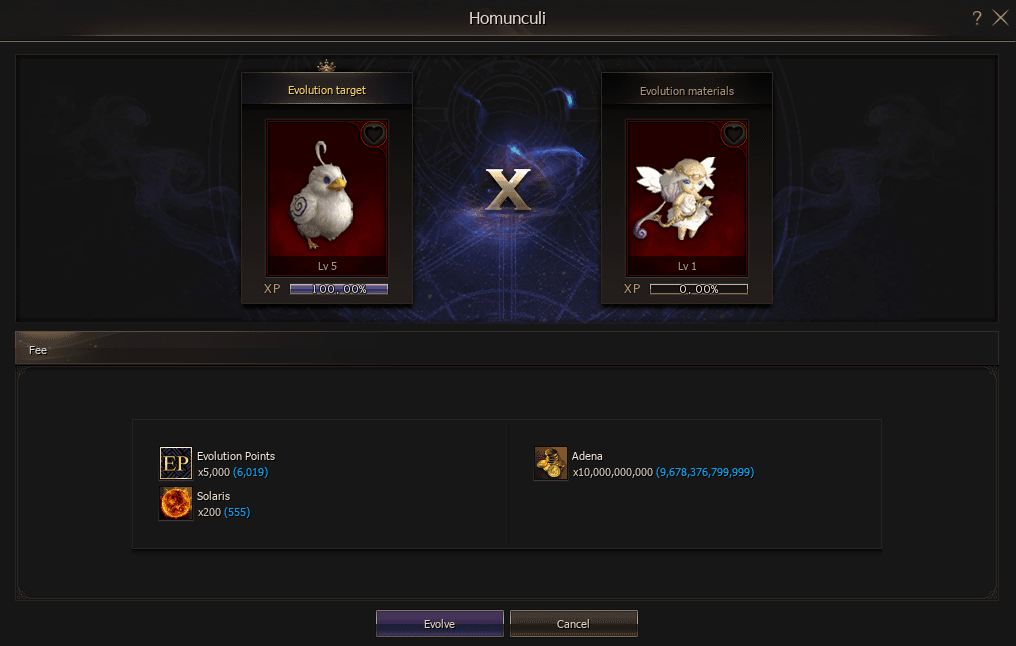
• A high-rank homunculus that has reached level 5 and accumulated 100% experience can undergo an evolution stage and become a heroic homunculus.
• Once all requirements have been met, a button becomes available in the control interface “Development”. It appears automatically when the homunculus meets the necessary conditions regarding level and accumulated experience. 
To transform a homunculus into its heroic form, the following conditions must be met:
Requirements:
• Homunculus Highest Rank.
• Homunculus Level — 5.
• The experience bar is filled to 100%.
• Homunculus Highest Quality ×1 as material for evolution.
Evolution Cost:
• Evolution Points ×5,000.
• Adena ×10,000,000,000.
• Solaris ×200.
Once all requirements are met, the evolution process becomes available, allowing you to obtain a heroic homunculus.